Therapist bookkeeping template for Excel and Google Sheets
Private Practice Therapist Bookkeeping
Private Practice Therapist Bookkeeping is a spreadsheet for therapists, counselors, social workers and psychologists in solo private practice. You enter payments and costs; it does the math.
Instant download. Blank file plus a full demo year. Excel and Google Sheets.
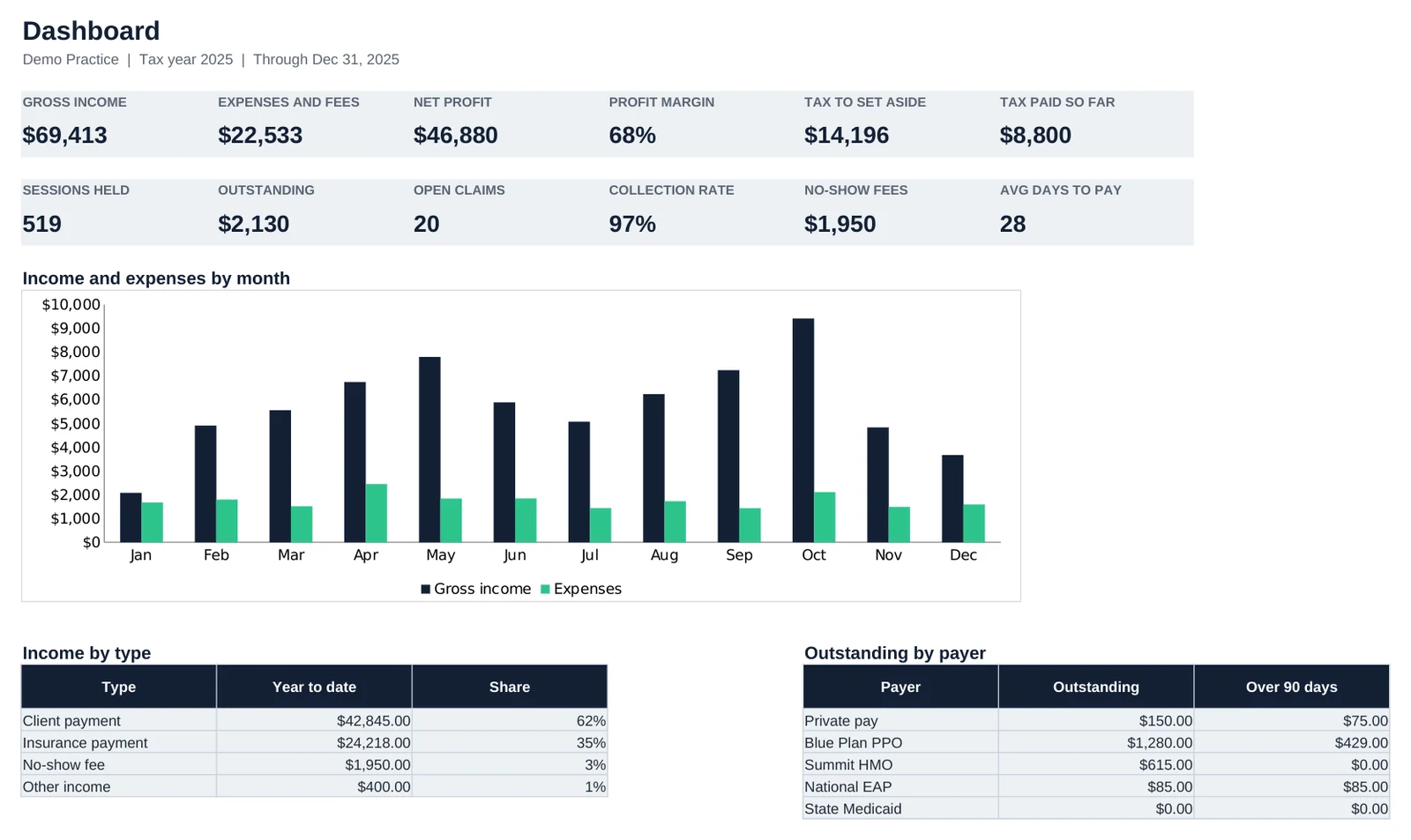
What it does
- Insurance and private-pay tracked side by side, with contracted rates per plan
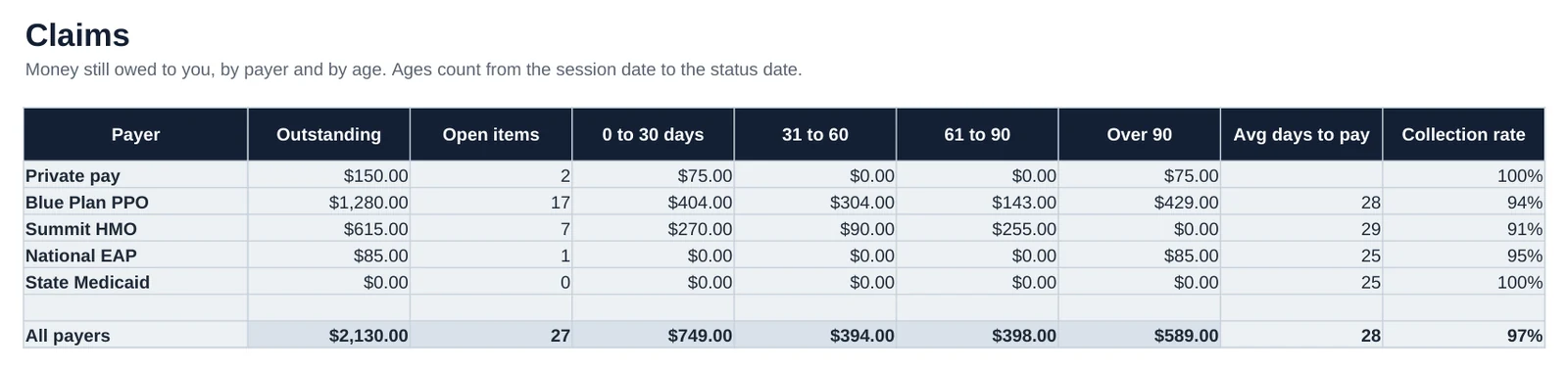
- Outstanding claims aged 0 to 30, 31 to 60, 61 to 90 and over 90 days, by payer
- Sliding-scale discounts and no-show fees handled per session
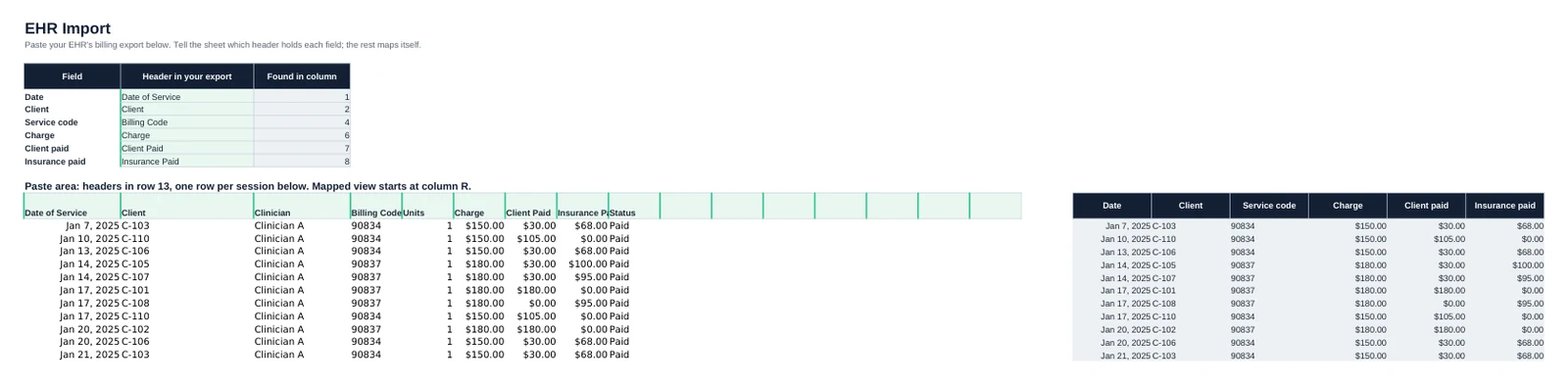
- Paste an EHR billing export and map its columns once
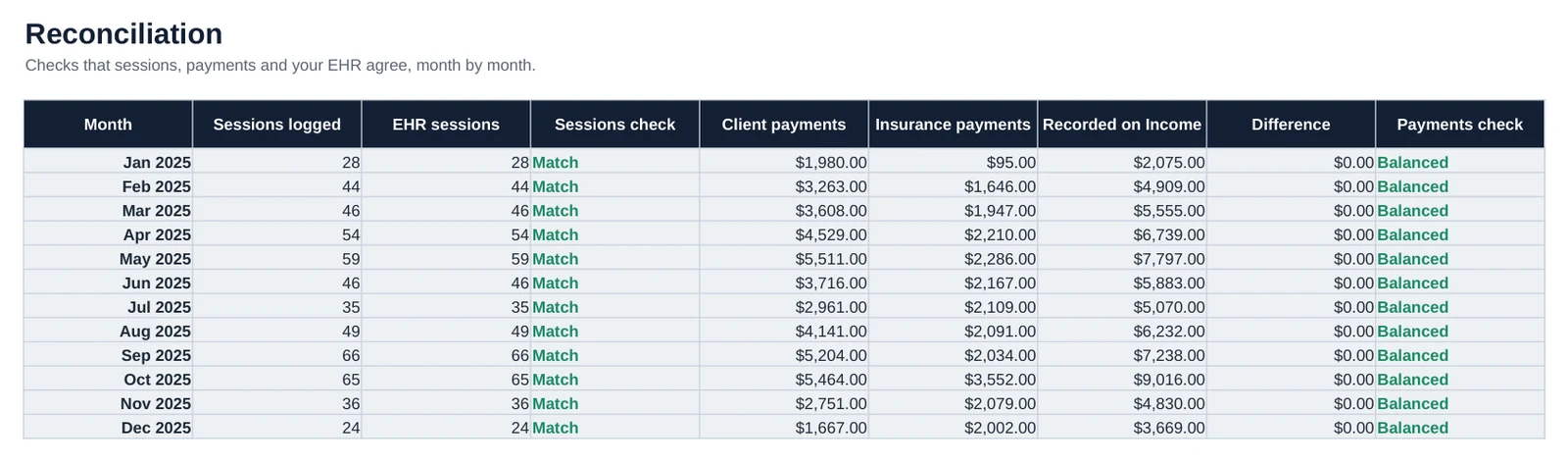
- Monthly reconciliation of sessions, payments and your EHR
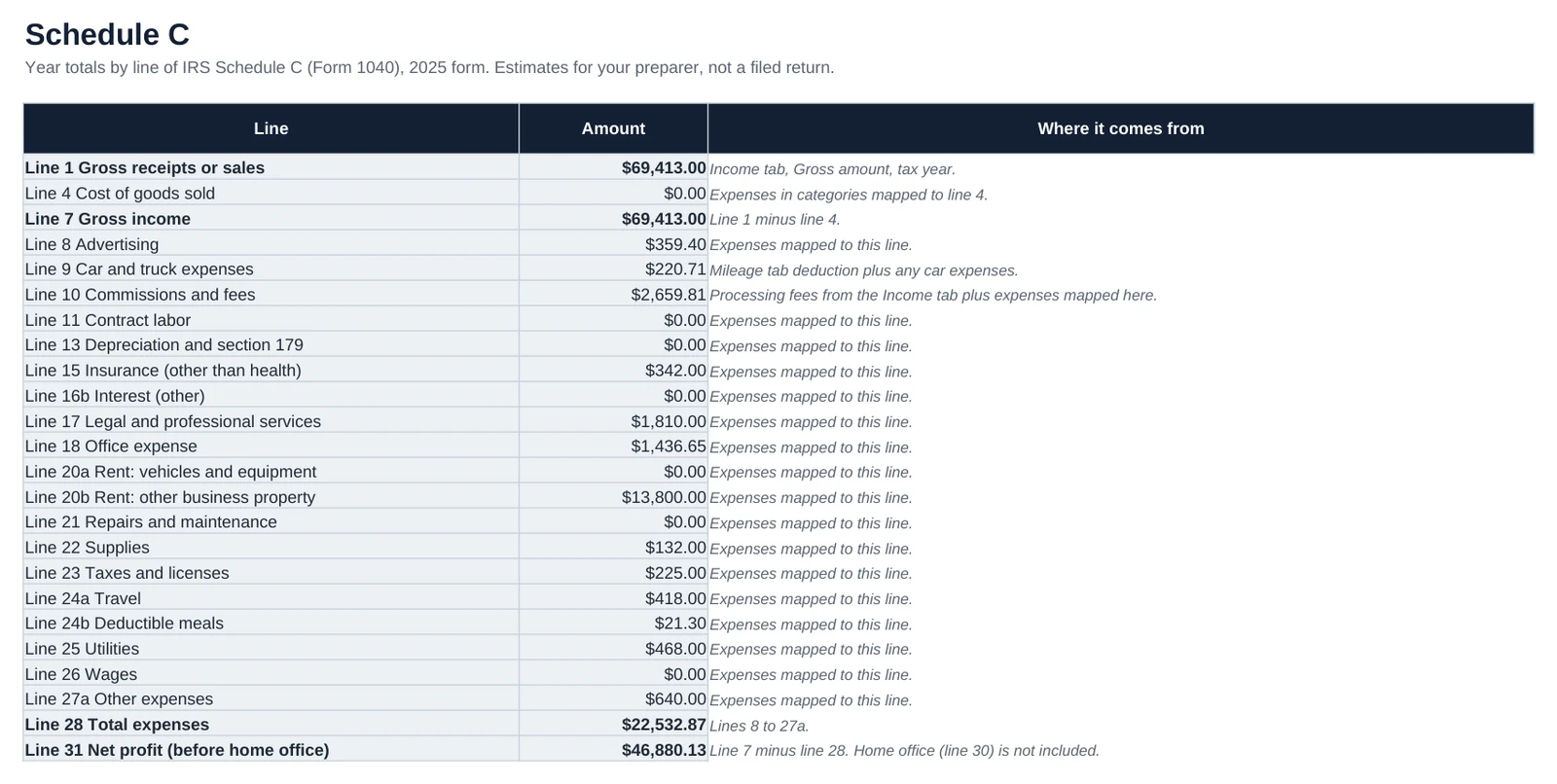
- Expenses mapped to Schedule C lines automatically
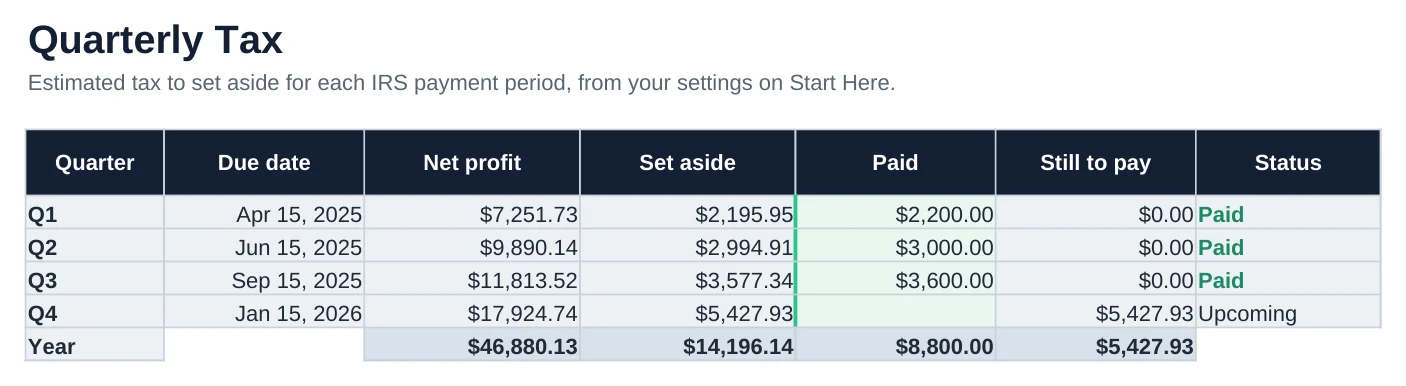
- Quarterly estimated tax set-asides with due dates and safe harbor
- Client IDs only, so no names or health details sit in your books
What you get
- Private Practice Therapist Bookkeeping (blank, ready for your year)
- Private Practice Therapist Bookkeeping Demo (a full year of made-up data so you can see every tab working)
- A Start Here tab with setup steps inside each file
How it works
- On Start Here, type your practice name, tax year and no-show fee.
- On Rates, enter your full fee for each service code, then each insurance plan's contracted rate.
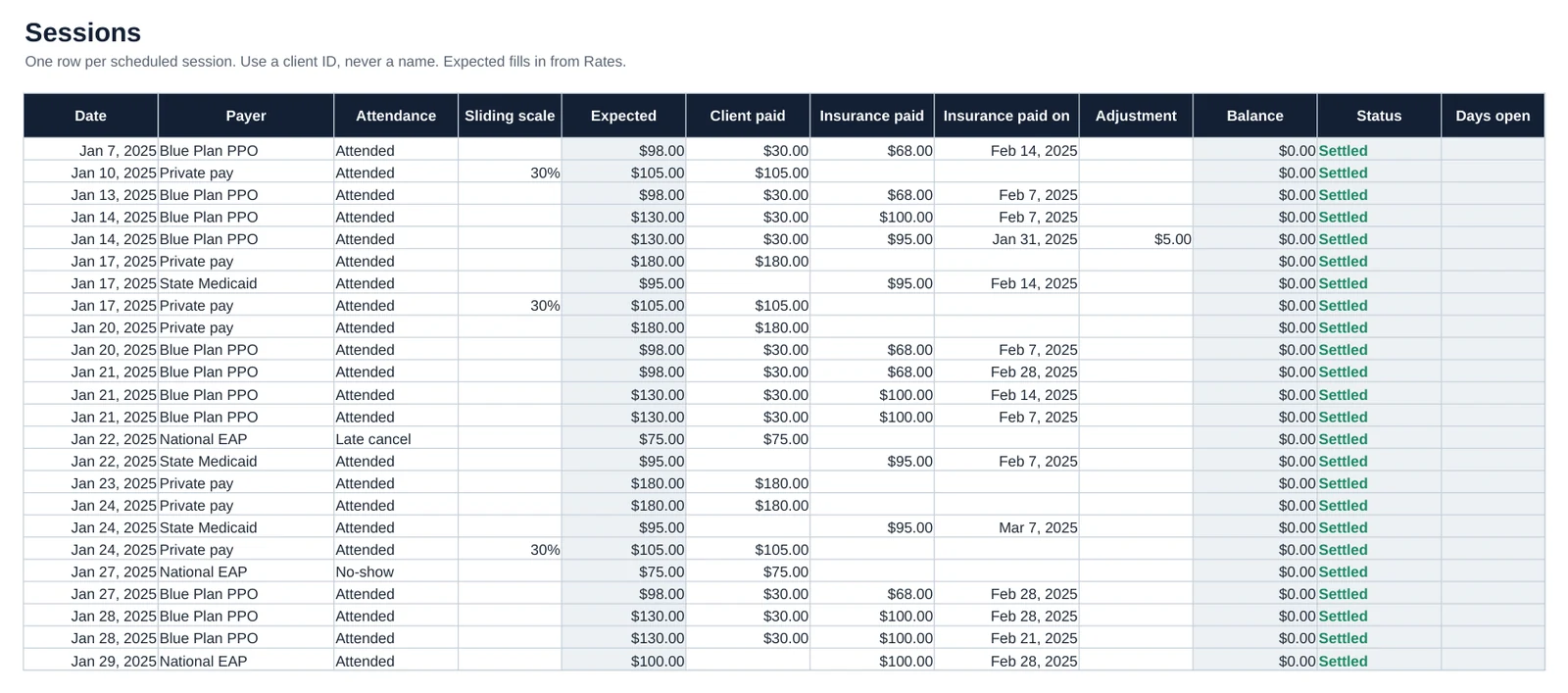
- Log every scheduled session on Sessions with a client ID (never a name), the code, payer and attendance.
- When money arrives, fill Client paid or Insurance paid on the session, and add the deposit on Income.
- Paste your EHR billing export on EHR Import, then check Reconciliation shows Match and Balanced each month.
- Work the Claims tab weekly: anything over 30 days deserves a call to the payer.
Every tab, from the demo file

Questions
Does it work in Excel and Google Sheets?
Yes. It works in Microsoft Excel 2010 or later, in Google Sheets (open Google Sheets, then File, Import, and upload the file) and in LibreOffice. It is not a Numbers or Notion file. Every total is a live formula in all three.
Excel shows a yellow Protected View bar. Is something wrong?
No. Excel opens every downloaded file in Protected View. Click Enable Editing and the file works as normal. The numbers already show before you click, so you can look first.
Is this tax advice?
No. It is a bookkeeping tool, not tax advice. Tax figures such as the quarterly set-asides are estimates to confirm with a tax professional, and the Schedule C totals are for your preparer, not a filed return.
What if it is not right for me?
Write to us within 30 days and we will fix the problem or refund you. Reply to your receipt email or write to [email protected]. Nothing physical ships, so there is nothing to return.
Can I change the categories?
Yes. Categories and dropdown choices live on the Lists tab, and you can add or rename them. Formula cells are protected against accidental typing, with no password, so you can unprotect a tab if you need to.
Get it
Therapists, counselors, social workers and psychologists in solo private practice.
Instant download through Gumroad. Blank file plus a full demo year.
Created by a fintech COO with a background in high finance and wealth management.